Search meaningful metadata
Find a snippet using the words in its name, description, or tags—not only its exact trigger.
A useful library eventually becomes larger than memory. Open SnippetCraft search from any app, type a remembered word, and find snippets by name, description, or tag without returning to the editor.
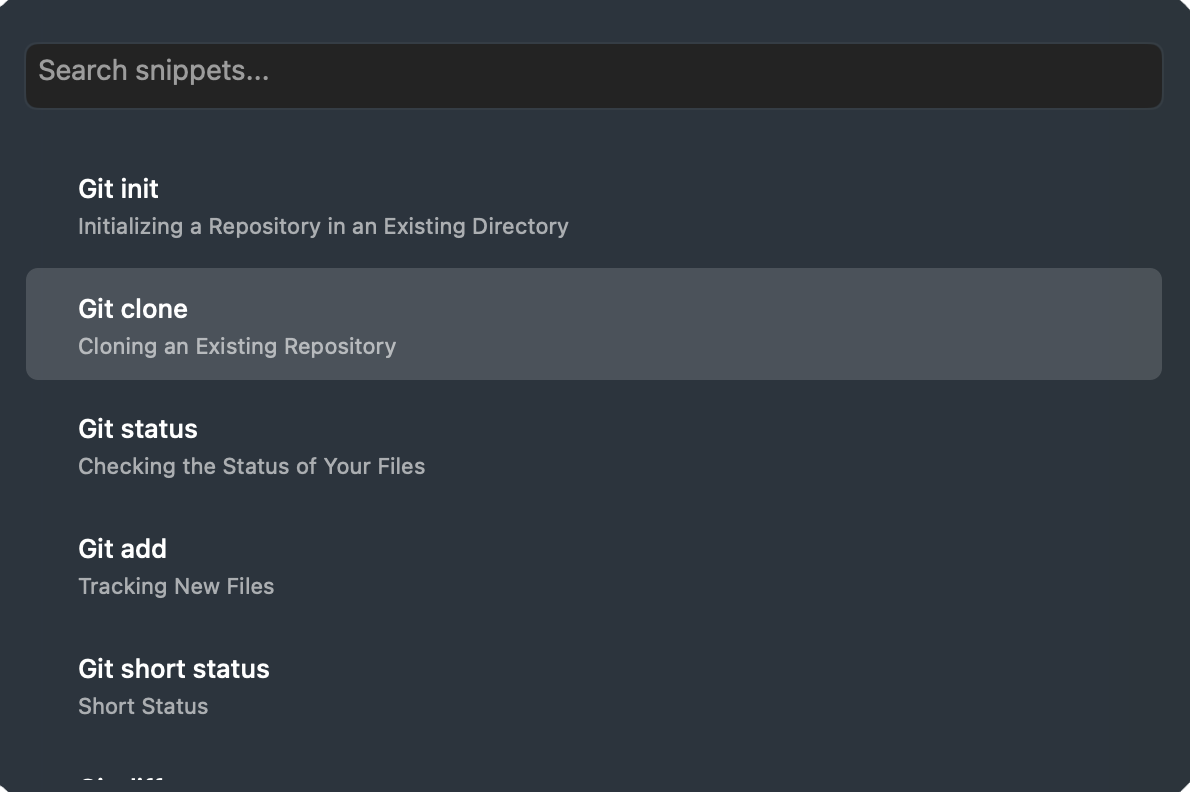
Triggers are fastest for a small set of high-frequency snippets. Search makes the rest of the library valuable without requiring a memorization system.
Find a snippet using the words in its name, description, or tags—not only its exact trigger.
Open the search palette over your browser, email, terminal, editor, or any other Mac workflow.
Type a query, move through results, and insert the selected snippet without reaching for the mouse.
Names describe the item, descriptions explain its purpose, and tags connect it to projects or topics. Together they create multiple paths back to the same useful content.
Summon global search without leaving the application where you are working.
Match the snippet name, description, or tags and review the narrowed results.
Navigate to the correct item and put it back into your current workflow.
Snippet names, descriptions, and tags provide multiple ways to find an item.
Yes. Use triggers for frequent habits and global search for the long tail of the library.
Yes. Open, search, navigate, and insert through a keyboard-first workflow.
Open search from any app on macOS.
Download free for Mac