Search recent copied text
Use remembered words or phrases instead of moving backward through clipboard entries one by one.
Clipboard history is short-term memory for your Mac. SnippetCraft helps you search recent copied text, narrow results by source app, reuse an entry, or promote valuable content into a permanent snippet library.
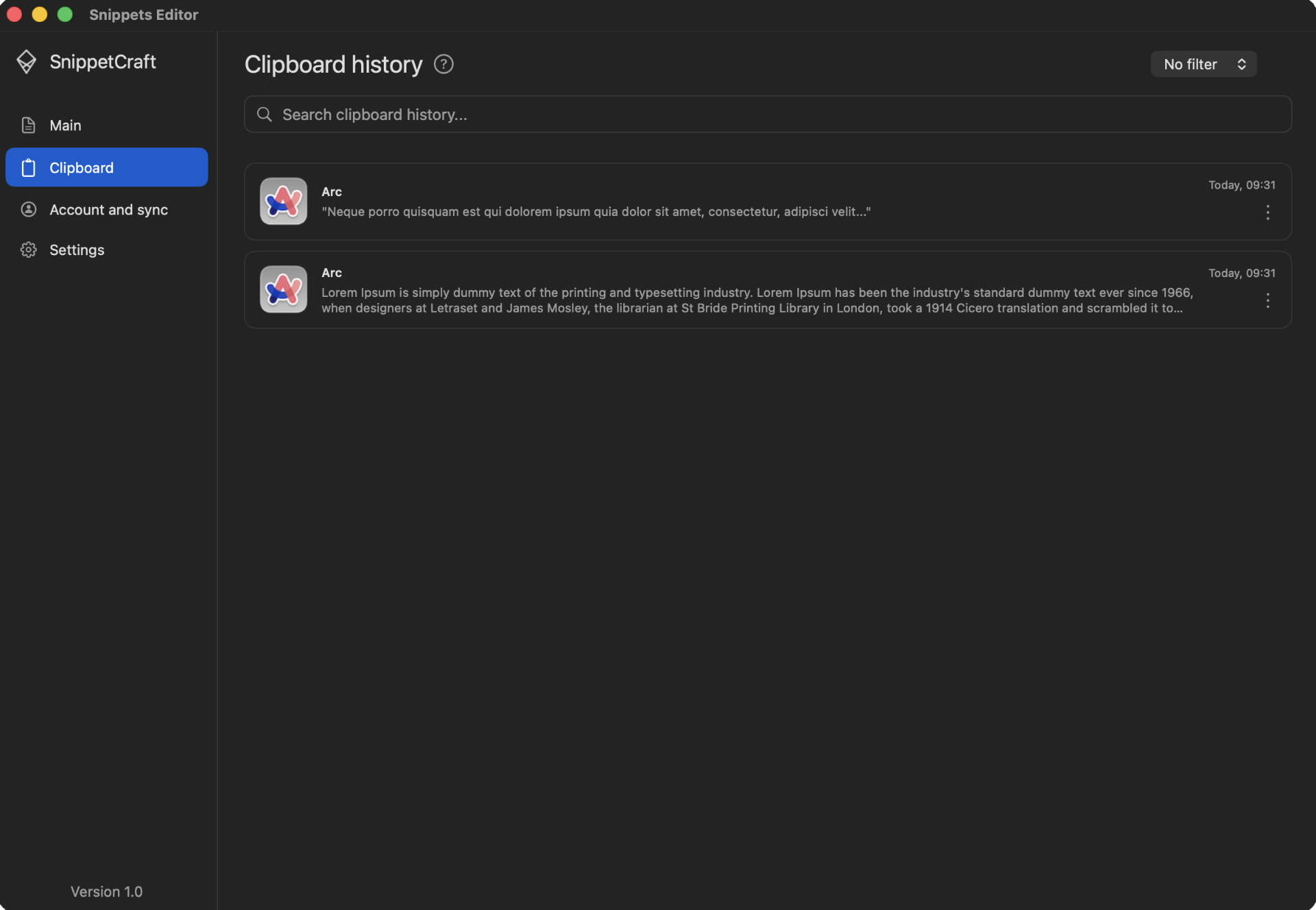
History helps recover something copied recently. A snippet gives valuable content a name, description, organization, trigger, and long-term context.
Use remembered words or phrases instead of moving backward through clipboard entries one by one.
Narrow the history when you remember whether the content came from a browser, terminal, email, or chat app.
Turn a useful clipboard entry into a named snippet, then add folders, tags, a trigger, or Markdown notes.
Copied text may include passwords, private conversations, tokens, customer information, or unfinished work. SnippetCraft processes and stores clipboard history locally. Raw clipboard history is not uploaded through optional snippet sync.
Use a phrase and source-app filter to locate the relevant clipboard entry.
Check for private details, one-time values, and incomplete context.
Add a name, folder, tags, documentation, and an optional trigger.
No. It is processed and stored locally and is not included in optional snippet sync.
Yes. Source-app filters help find text copied from a remembered application.
Yes. Turn it into a permanent snippet and add metadata or documentation.
Private clipboard history connected to a reusable snippet library.
Download free for Mac